
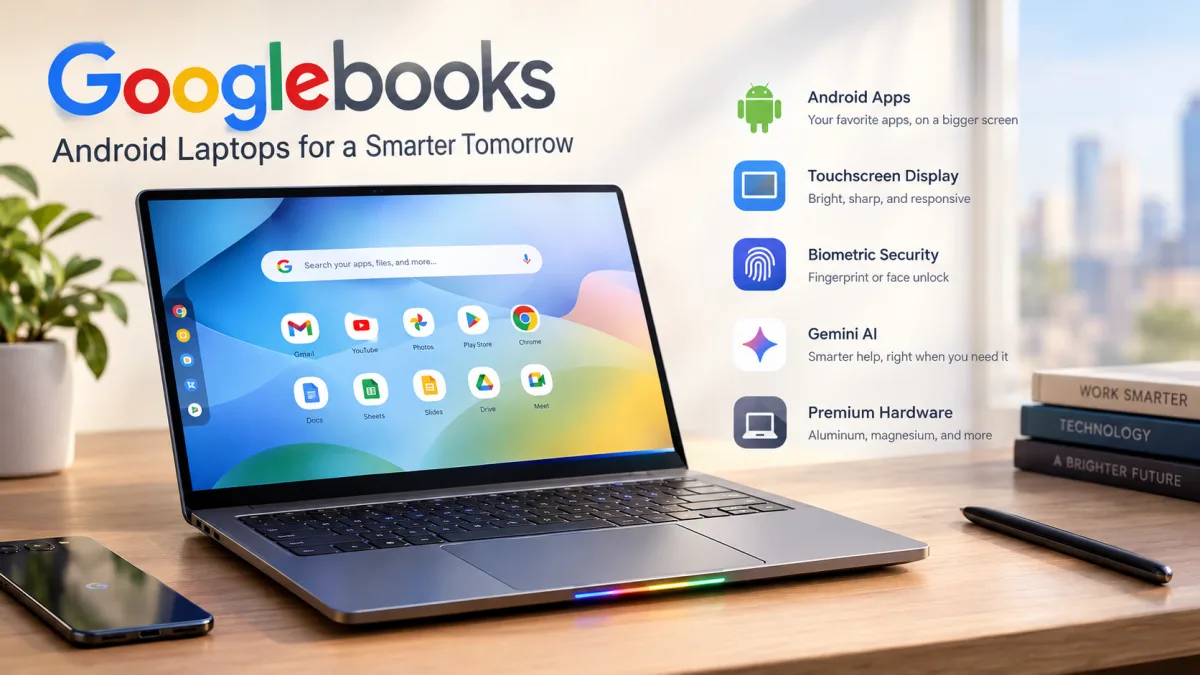
Google is taking another step toward expanding Android beyond smartphones with Googlebooks, a new category of Android powered laptops designed to deliver a premium computing experience. After years of experimenting with tablets, Chromebooks, and foldable devices, the company is now looking to bring Android apps and services to a new generation of laptop users.
Unlike traditional Chromebooks, which rely heavily on web based applications and ChromeOS, Googlebooks aim to combine premium hardware with native Android app support. The goal is to create a more versatile computing platform that can appeal to users looking for an alternative to Windows and macOS.
However, entering the laptop market is not an easy task. Microsoft and Apple have spent decades building mature operating systems, extensive software libraries, and familiar user interfaces. For Googlebooks to attract users away from these established platforms, Google will need to offer more than an Android experience on a larger screen.
Googlebooks Bring Android to Premium Laptops
For dedicated Android users, Googlebooks introduce several interesting possibilities. Bringing familiar Android apps and Google services to a laptop could create a more connected experience across smartphones and computers.
Yet the Android foundation of Googlebook OS is also one of its biggest challenges. Depending on the task, the operating system can feel like a traditional Chromebook in some situations and a large Android phone in others.
This creates a noticeable gap between the experience Googlebooks aim to deliver and what users typically expect from a premium laptop. Desktop users often rely on advanced multitasking, sophisticated window management, professional software, and workflows that have been refined over many years.
Although native Android app support provides access to a broad software ecosystem, it does not automatically guarantee that every application will work well on a laptop. Google will need to ensure that apps are optimized for larger displays, keyboard and mouse input, and desktop productivity.
The success of Googlebooks will therefore depend on how effectively Google transforms Android into a complete desktop operating system rather than simply adapting a mobile platform to a larger device.
Premium Hardware Takes Center Stage
Previous Chromebooks demonstrated that ChromeOS could work well in affordable laptops, although the platform also included a smaller selection of premium models. With Googlebooks, Google appears to be placing greater emphasis on the high end market instead of focusing primarily on budget friendly devices.
Many of the initial Googlebook models are positioned at premium prices, with several costing well over $1,000. This pricing strategy suggests that Google wants its new laptops to compete directly with established premium Windows laptops and Apple MacBooks rather than serve as inexpensive alternatives for basic computing.
The launch models feature several premium hardware elements, including high quality touchscreen displays, aluminum and magnesium bodies, large trackpads, and biometric authentication.
Depending on the device, biometric security includes fingerprint recognition or facial recognition, offering users a convenient way to unlock their computers.
These features help establish Googlebooks as premium laptops, but hardware quality alone may not be enough to convince consumers to switch platforms. Buyers will also expect reliable performance, long battery life, strong application compatibility, and a polished desktop experience.
What Is the Glowbar on Googlebooks?
One of the more unusual features introduced with Googlebooks is the Glowbar, a light based element designed to provide visual feedback for selected system activities.
Currently, the Glowbar lights up in Google’s familiar colors when Gemini is activated using its wake word. It also illuminates during startup and displays battery information when the laptop is connected to a power source.
The battery indicator could be useful for quickly checking charging status, while the Gemini lighting adds a visual connection to Google’s artificial intelligence assistant.
However, the Glowbar appears to be more of a decorative and supplementary feature than a major reason to purchase a Googlebook. Its long term value will depend on whether Google expands its functionality with additional notifications, system controls, or useful interactions.
For now, the feature adds a distinctive touch to the hardware, but it is unlikely to determine whether Googlebooks succeed in the competitive laptop market.
Can Googlebooks Replace Windows and macOS?
Googlebooks face a difficult challenge because Windows and macOS already offer mature desktop environments supported by extensive application libraries and established workflows.
Windows remains a major platform for gaming, business software, engineering tools, and a wide range of professional applications. macOS is also deeply integrated into Apple's hardware ecosystem and supports many creative and productivity workflows.
Googlebooks will need to demonstrate that Android apps can deliver a comparable level of convenience and functionality on a laptop. They will also need strong support for multitasking, external displays, file management, peripheral devices, and professional productivity tools.
Integration with Android smartphones could become a significant advantage. Users who already depend on Google's services may appreciate having their familiar apps, accounts, and digital tools available across their phone and computer.
Gemini integration could provide another point of differentiation if it helps users complete everyday tasks, organize information, and work more efficiently.
Nevertheless, the biggest challenge is not simply making Android apps run on laptops. It is creating a consistent, intuitive desktop experience that feels purpose built for a computer.
Final Thoughts: Googlebooks Need More Than Premium Design
Googlebooks represent Google's latest effort to expand Android into a more capable laptop platform. With premium materials, touchscreen displays, biometric security, native Android app support, and Gemini integration, the new devices offer several features that could appeal to existing Android users.
However, competing with Windows and macOS requires more than attractive hardware and familiar mobile applications. Google must deliver a refined desktop interface, dependable multitasking, broad software compatibility, and features that make everyday computer use feel natural.
If Google can successfully combine the flexibility of Android with the productivity expected from a premium laptop, Googlebooks could become an interesting alternative for consumers who already use Google's ecosystem.
Until then, their biggest challenge will be convincing users that these devices are not simply oversized Android phones, but fully capable computers designed for modern work and everyday productivity.