
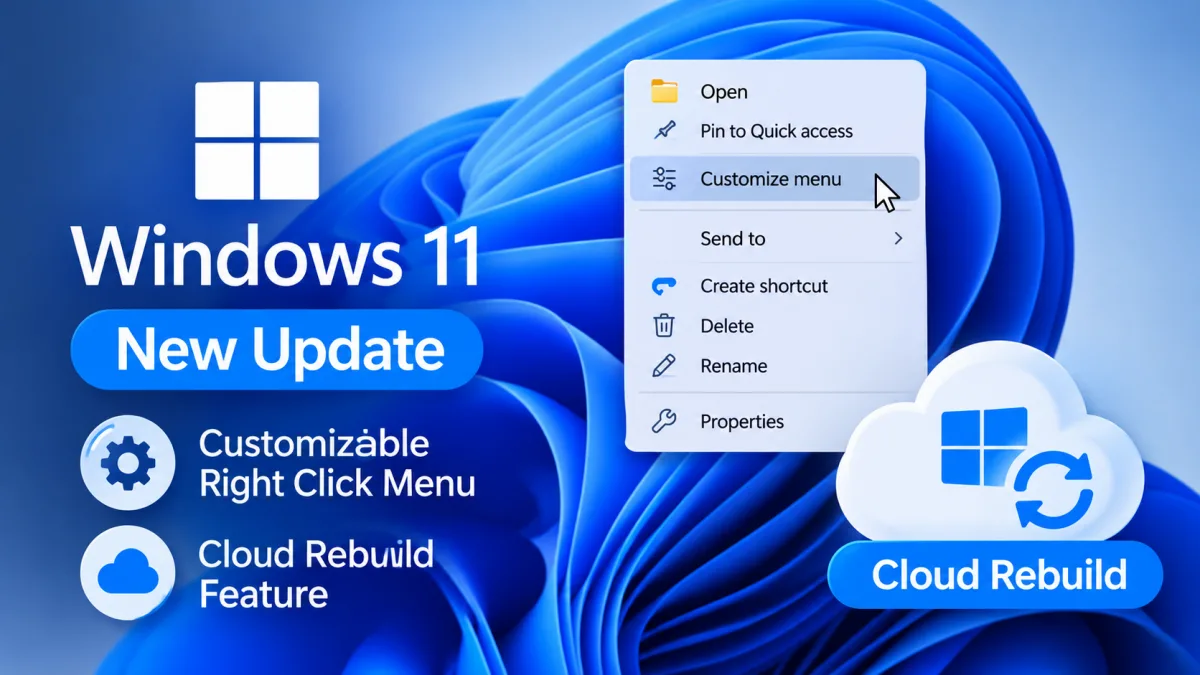
Microsoft is rolling out a new Windows 11 preview update that addresses one of the operating system's most frustrating issues for longtime users, the limited customization options in the right click context menu. The update also introduces a new cloud based recovery feature designed to make reinstalling Windows easier, even when a computer cannot boot properly.
The announcement comes at an interesting time for Microsoft, as its latest quarterly financial results indicate continued weakness in Windows license sales for new PCs. Despite these challenges, the company continues to improve Windows 11 with features aimed at enhancing the user experience and giving users more control over their devices.
Windows 11 Finally Allows Users to Customize the Right Click Menu
One of the biggest highlights of the new Windows 11 update is the introduction of a customizable right click menu. For years, users have complained about Microsoft's redesigned context menu, which moved familiar commands and placed several commonly used options behind an additional click.
The new update, KB5127936, introduces a dedicated Customize Menu button that allows users to control how their right click menu looks and behaves.
With this feature, Windows 11 users will be able to:
Enable or disable built in commands such as Send To and Create Shortcut.
Rearrange commands to prioritize frequently used options.
Choose which commands appear directly in the main context menu.
Manage third party extensions and decide whether they appear in the main menu or submenus.
Previously, Microsoft moved several familiar commands into the Show More Options submenu, forcing users to perform an additional click to access tools they regularly used.
This change frustrated many experienced Windows users who preferred the traditional context menu and had become accustomed to its original layout.
With the new customization options, users can organize the right click menu according to their personal preferences instead of adapting their workflow to Microsoft's default design.
Cloud Rebuild Makes Windows 11 Recovery Easier
Another important addition in the KB5127936 preview update is a new recovery feature called Cloud Rebuild.
This feature allows users to reinstall Windows 11 directly from Microsoft's cloud infrastructure, even if their existing operating system cannot start properly.
Cloud Rebuild downloads the required Windows 11 installation files and system drivers through Windows Update, eliminating the need for users to prepare a separate recovery image or external installation media.
This could make system recovery significantly easier, particularly for users who experience serious Windows errors or problems that prevent their computers from booting.
However, there is an important detail users should understand before using this feature.
Although Microsoft describes Cloud Rebuild as a recovery option, the process works more like a fresh Windows installation than a traditional system repair. Existing applications and personal files will not be included in the new installation.
Users should therefore back up important documents, photos, and other personal data before proceeding.
Cloud Rebuild also provides an option to sanitize entire system drives before reinstalling Windows, offering an additional layer of data protection for users who want to securely erase their existing storage.
KB5127936 Update Supports Windows 11 26H2 and 25H2
Microsoft's new preview update, KB5127936, is a cumulative update designed for Windows 11 versions 26H2 and 25H2.
The company is distributing the update through a gradual rollout process, meaning that not every eligible device will receive it immediately.
Following the preview phase, Microsoft plans to move the update into its regular rollout process, making the improvements available to a wider range of Windows 11 devices.
Besides the customizable context menu and Cloud Rebuild, the update also includes additional improvements related to Windows settings and Xbox mode.
Users interested in the complete list of changes can consult Microsoft's official Windows release announcement for further details.
Final Thoughts
Microsoft's latest Windows 11 update addresses two important areas that can significantly improve the everyday experience of using the operating system.
The customizable right click menu gives users more control over an interface that has been criticized since the introduction of Windows 11, while Cloud Rebuild provides a more convenient way to reinstall the operating system when serious problems occur.
Although Cloud Rebuild requires users to reinstall their applications and restore personal files from backups, it could still become a useful recovery solution for people who want to avoid the traditional process of creating bootable USB drives.
Overall, these improvements suggest that Microsoft is paying closer attention to user feedback and working toward making Windows 11 more flexible, accessible, and easier to maintain